Area · rooms and walls

A room measurement app that adds up the area for you

Most rooms are not perfect rectangles. An L-shaped hall or a bay window means splitting the floor into pieces and adding them up by hand. The Area tool draws the real shape instead.

Premium tool · free trial on the weekly plan

Download on the App Store
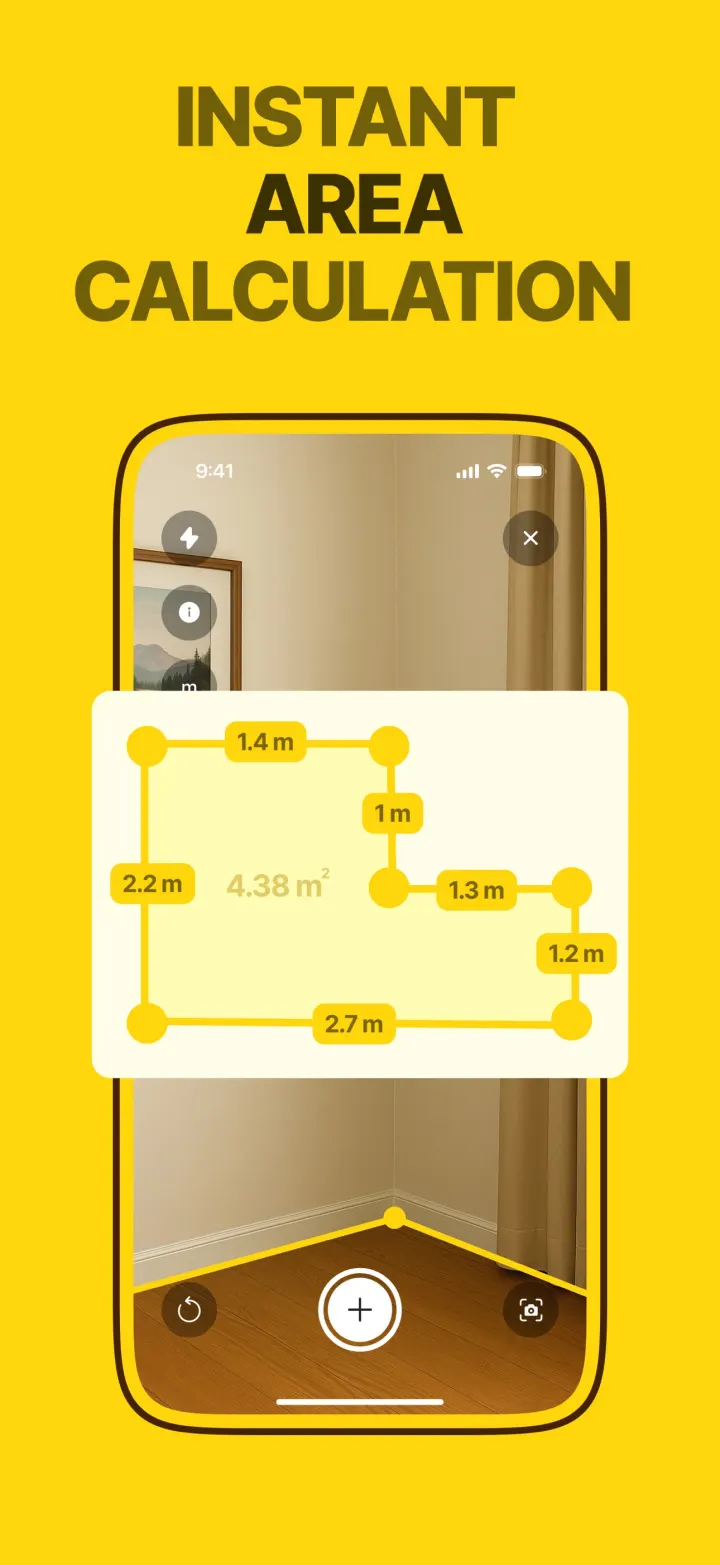
The Area tool showing an L-shaped floor with each side labelled and a total of 4.38 m²

What the Area tool gives you

You walk the corners of a floor, a wall or a worktop, tapping each one. When you tap the first point again, the shape closes. The app labels every side with its length and fills the shape with its total area.

The result screen shows the drawing on its own, with the numbers, so you can copy it, share it or save it as an image for a flooring shop or a painter.

How it works in the app

  1. 1

    Open Area and scan the floor until the app says AR Calibrated.

  2. 2

    Tap each corner in order. A yellow edge appears between points with its length.

  3. 3

    Tap the first point again to close the shape and see the total area.

  • Any shape

    L-shapes, alcoves and angled walls. Use as many corners as the room has.

  • Area report

    A clean drawing with every side and the total, ready to share, copy or screenshot.

  • m² or ft²

    Switch units at any time and the report follows.

Questions

How do I measure the square footage of a room?

Multiply length by width in feet. For an odd shape, split it into rectangles and add them. Our square feet guide has a calculator, or the Area tool does the adding for you from the corners.

Do furniture and rugs get in the way?

Tap the corners where the walls meet the floor. If a sofa hides a corner, tap the point on the wall just above it, at floor level in your mind's eye, or move the sofa for a second.

Is it accurate enough to order flooring?

It is a good estimate. Flooring is usually ordered with 5 to 10 percent extra for cuts anyway. For an expensive order, confirm the two longest sides with a tape.